Transcribe speech with faster-whisper, then use Ollama to identify topics and build a timestamped outline
Video · Local analysis
VidOutline.
Turn long videos into notes you can use.
For researchers and creators reviewing video material.
CURRENT FOCUS01 02 03
When speech is too sparse, sample video keyframes for analysis with a local vision model
Run one video, process a folder batch, or watch an input folder for new files
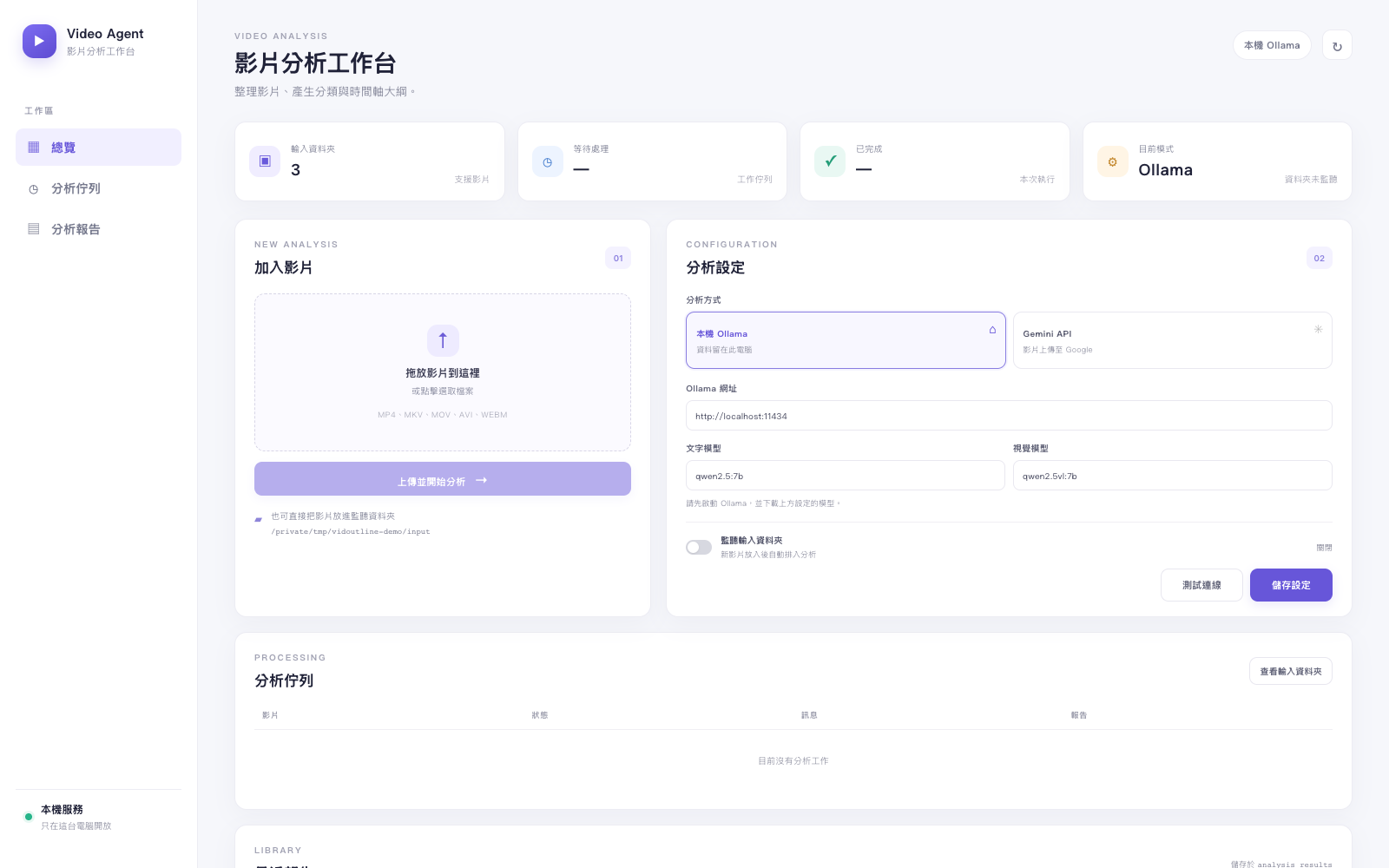 VIDOUTLINE · APP SCREEN
Who it helps
From first step to result
For researchers and creators reviewing video material.
Choose a video
Analyse the content
Keep timestamped notes
Screens from the desktop app
A closer look at VidOutline.
These are captures of the current local dashboard. The video names and report text shown are fictional demo content prepared for this page. The app is a local Windows project in development, not a hosted web service.
Local analysis dashboard
The current desktop dashboard brings video intake, processing status, and recent work together.
Open full-size image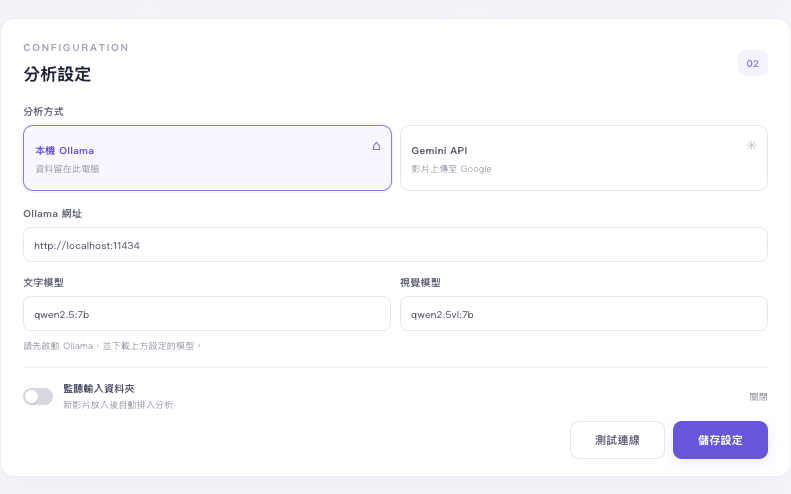
Local model settings
Choose the local Ollama endpoint and text and vision models in the desktop dashboard.
Open full-size image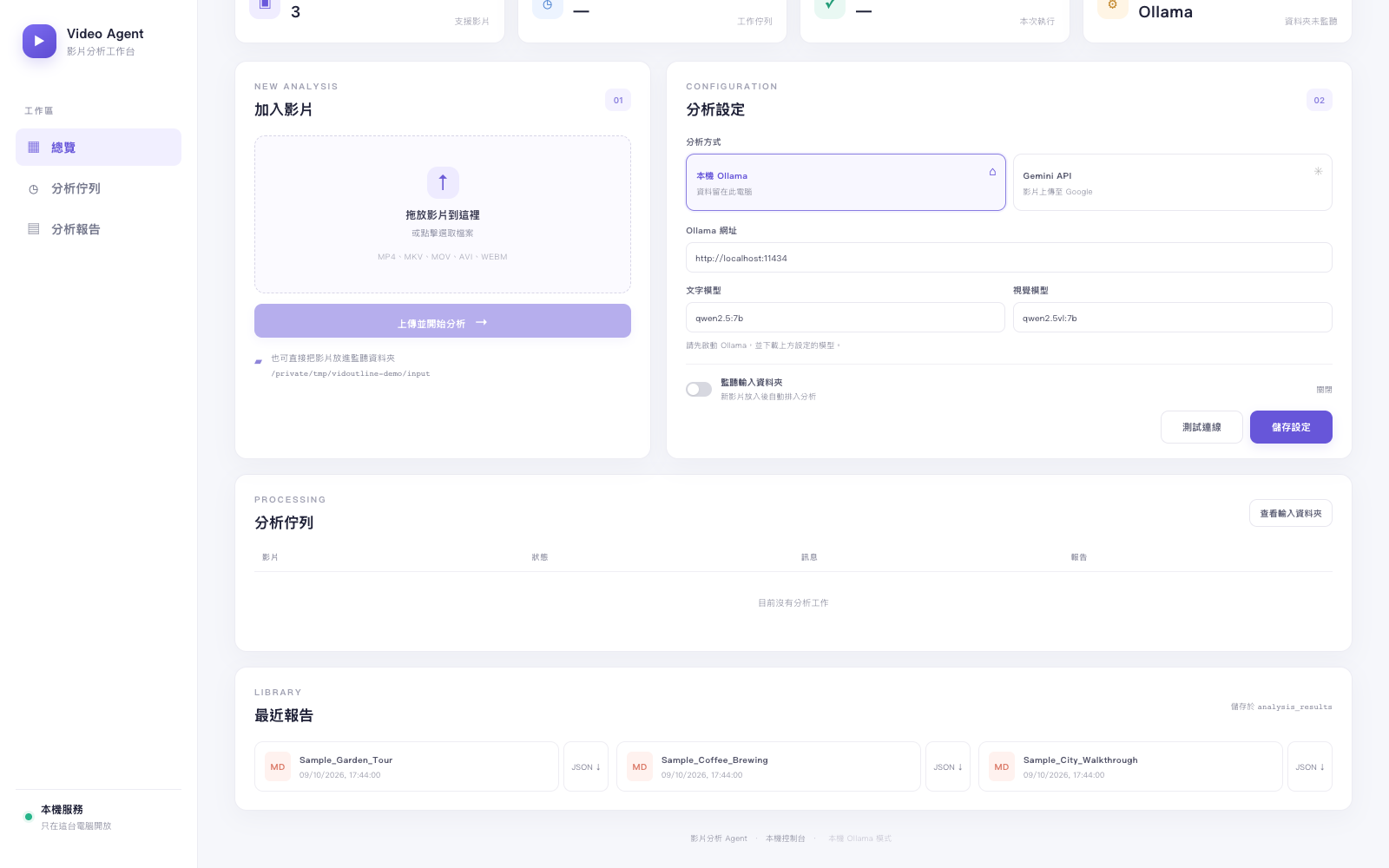
Recent report library
Browse sample Markdown summaries and download each structured JSON result.
Open full-size imageProject overview
Turn long video files into useful notes.
Finding the useful parts of a recording can mean rewatching it, searching through a transcript, and writing timestamps by hand. This project brings speech, scenes, and a structured outline into one repeatable analysis run.
VidOutline first transcribes audio with faster-whisper. When a usable transcript is available, Ollama analyzes its topics and timeline; when speech is too sparse, the tool samples keyframes for a local vision model. A separate Gemini mode can analyze the full video through Google’s API.
These screens show the current local dashboard with fictional sample video names and reports. VidOutline is in development as a Windows desktop utility, not a hosted web service. Gemini mode uploads the full video to Google; local mode sends a transcript or sampled frames to Ollama on the same computer.
TECHNICAL OVERVIEW
What the project supports
The details below reflect the current repository and README. They describe a development-stage desktop utility, not a hosted service.
Platform
Windows · Python 3.10+ · local Flask dashboard
Video formats
.mp4 · .mkv · .mov · .avi · .webm · .m4v · .mpeg · .mpg
Local analysis
faster-whisper transcription with Ollama text analysis; keyframe fallback with an Ollama vision model
Cloud option
Gemini API mode uploads the full video to Google for analysis and attempts to delete the uploaded file afterward.
Ways to process
One video · a folder batch · an automatically watched input folder
Report files
Markdown summary and structured JSON, with category, tags, pitch, story summary, and timeline chapters
Media tools
FFmpeg and ffprobe
How the app works
From video to a timestamped outline.
A view of the current analysis flow. Local and cloud modes process video differently, as described in the project details above.
- STEP01
Choose files and a mode
Analyze one video, process a folder, or place files in the watched folder. Choose local Ollama processing or Gemini cloud analysis before starting.
- STEP02
Set models and build the outline
Choose the local text and vision models, then start processing. Speech is transcribed first; videos with sparse speech can fall back to sampled keyframes before the report is created.
- STEP03
Keep the report files
Save each result as Markdown for reading and JSON for structured reuse. Repeated source names receive numbered report files instead of overwriting an earlier result.
Design priorities
Choices for clear analysis and reusable results.
The project makes the processing mode visible, preserves timestamps, and keeps reports in portable formats.
Make processing mode clear
Local mode sends transcripts or sampled frames to Ollama on the same computer. Gemini mode uploads the full video to Google, so the choice is visible before processing.
Keep timestamps with the summary
Organize findings into timeline chapters so a reader can navigate back to the relevant part of a video.
Keep results portable
Store a readable Markdown report alongside structured JSON, in a folder the user can choose.
VidOutline
Interested in this project?
Tell us what you want to achieve. We can discuss the current build, its fit and next steps.
In development · Enquire about the current build