Local PaddleOCR
Desktop OCR · Hong Kong business documents
DocuPass.
Turn document piles into records you can check.
For people reviewing receipts, invoices and document batches.
CURRENT FOCUS01 02 03
Automatic detection
Real engine benchmarks
 DOCUPASS · REAL APP SCREENS
Who it helps
From first step to result
For people reviewing receipts, invoices and document batches.
Add your documents
Review extracted values
Export checked records
THE PRODUCT, IN MOTION
One engine. A smarter document workflow.
PaddleOCR reads the page. DocuPass turns that text into structured, reviewable records. Explore the six capabilities that make the difference.
01 / PaddleOCR
PaddleOCR at the core.
Read printed text, handwriting and filled forms locally with PP-OCRv6. Keep the source page beside the structured result.
- Fast / Balanced / Accurate
- Printed text · handwriting · form compare
- Source-linked fields + human confirmation
Actual app capturemacOS · 19 OCT 2026
Synthetic receipt · actual OCR outputSUNNY CAFE LIMITED88.50
02 / Auto detection
A mixed batch. Sorted for you.
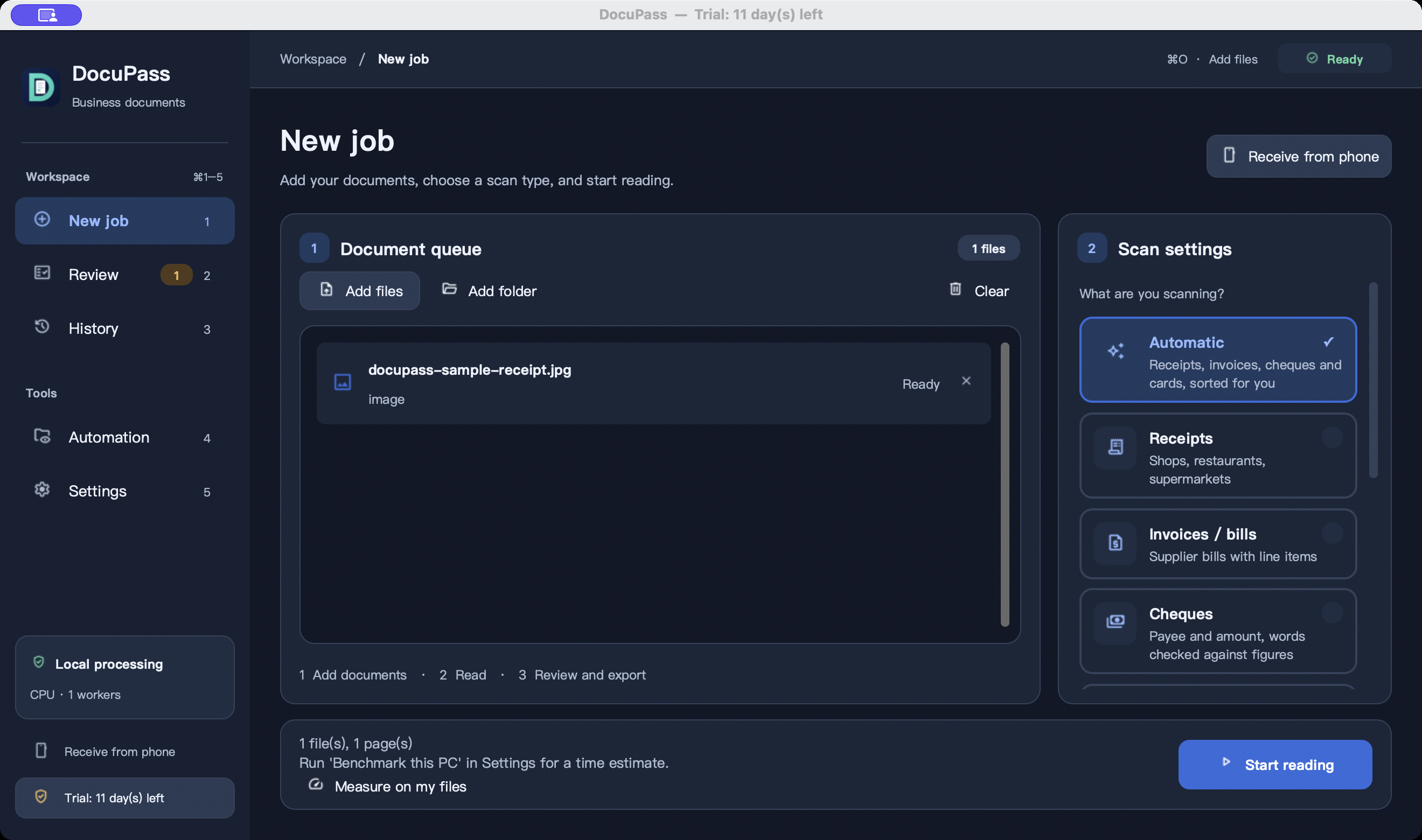
Automatic mode identifies the document type and extracts its fields. Totals, dates and possible duplicates are checked before you confirm.
- Receipts · invoices · cheques · cards
- Editable classification and fields
- Arithmetic + duplicate checks
Actual app capturemacOS · 19 OCT 2026
ReceiptsInvoices and billsHong Kong chequesBusiness cards
03 / Benchmark
Measure your machine. Plan the batch.
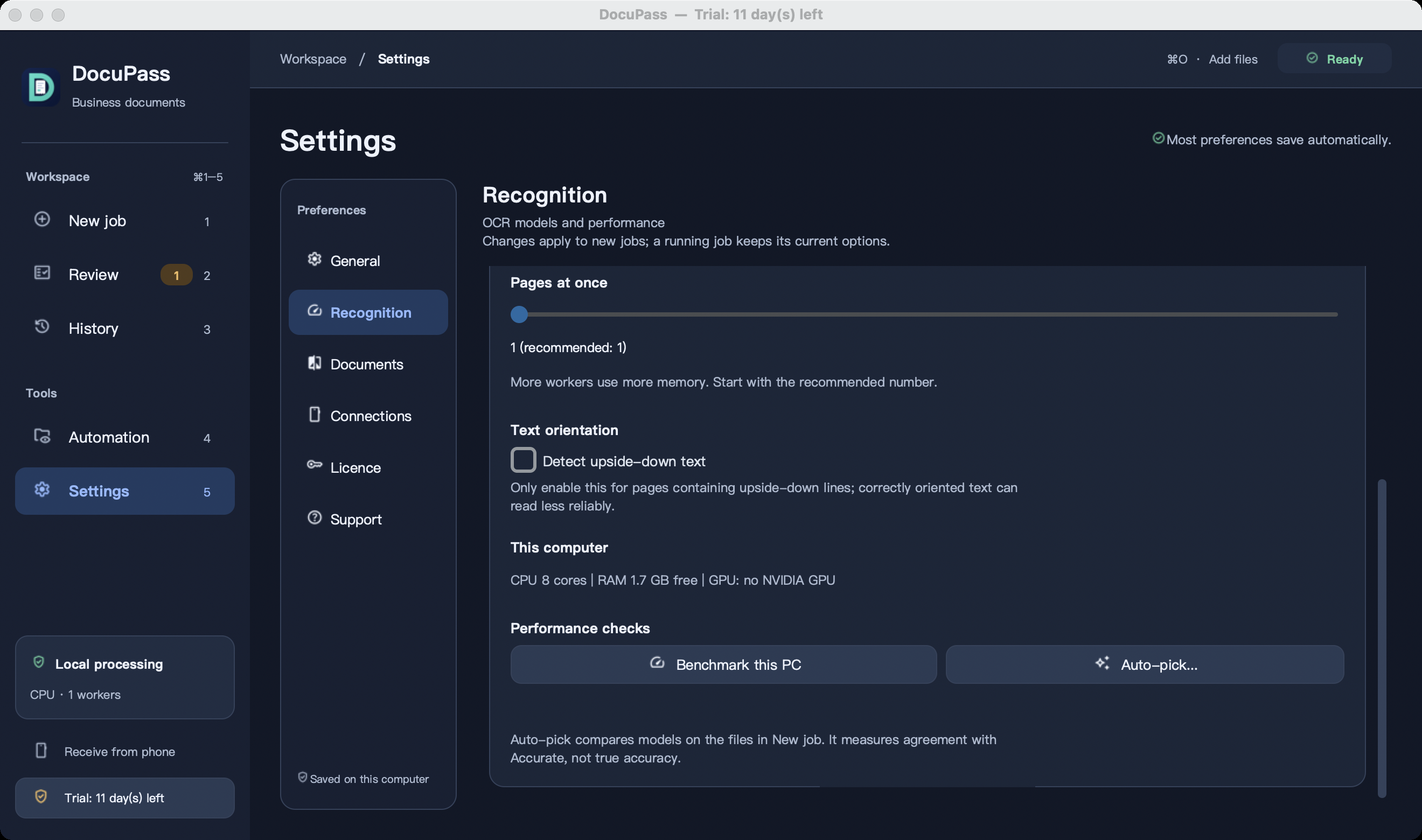
Benchmark this PC runs the actual OCR engine. Measure on my files samples your documents; live estimates update as the batch progresses.
- CPU / RAM / NVIDIA capability detection
- Model + parallel-worker measurements
- Auto-pick compares models on your pages
Actual app capturemacOS · 19 OCT 2026
24printed linesA4 standard page
2–4your sample pages
Measures model startup and seconds per page with your chosen model and workers. No universal speed claim.
04 / Optional AI
Your local model. Or your API.
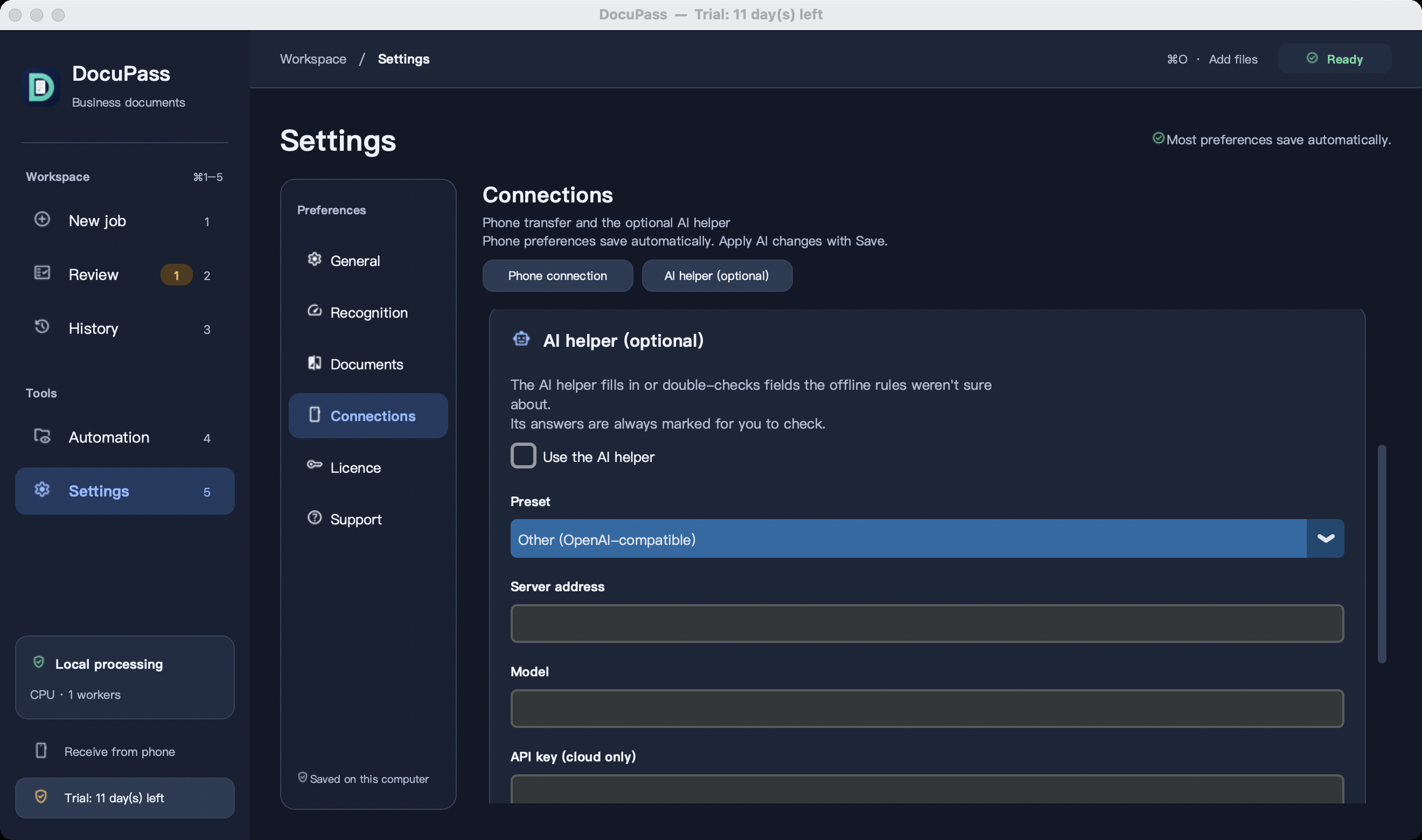
PaddleOCR remains the reading engine. An optional OpenAI-compatible model can help fill empty fields from OCR text, with every suggestion kept for review.
- Local servers such as Ollama
- Your compatible endpoint + API key
- Off by default · OCR text only
Actual app capturemacOS · 19 OCT 2026
Local modelOllama · localhost/Your API endpointOpenAI-compatible
OCR text → suggested fields → your review
05 / Automation
New scans in. Daily records out.
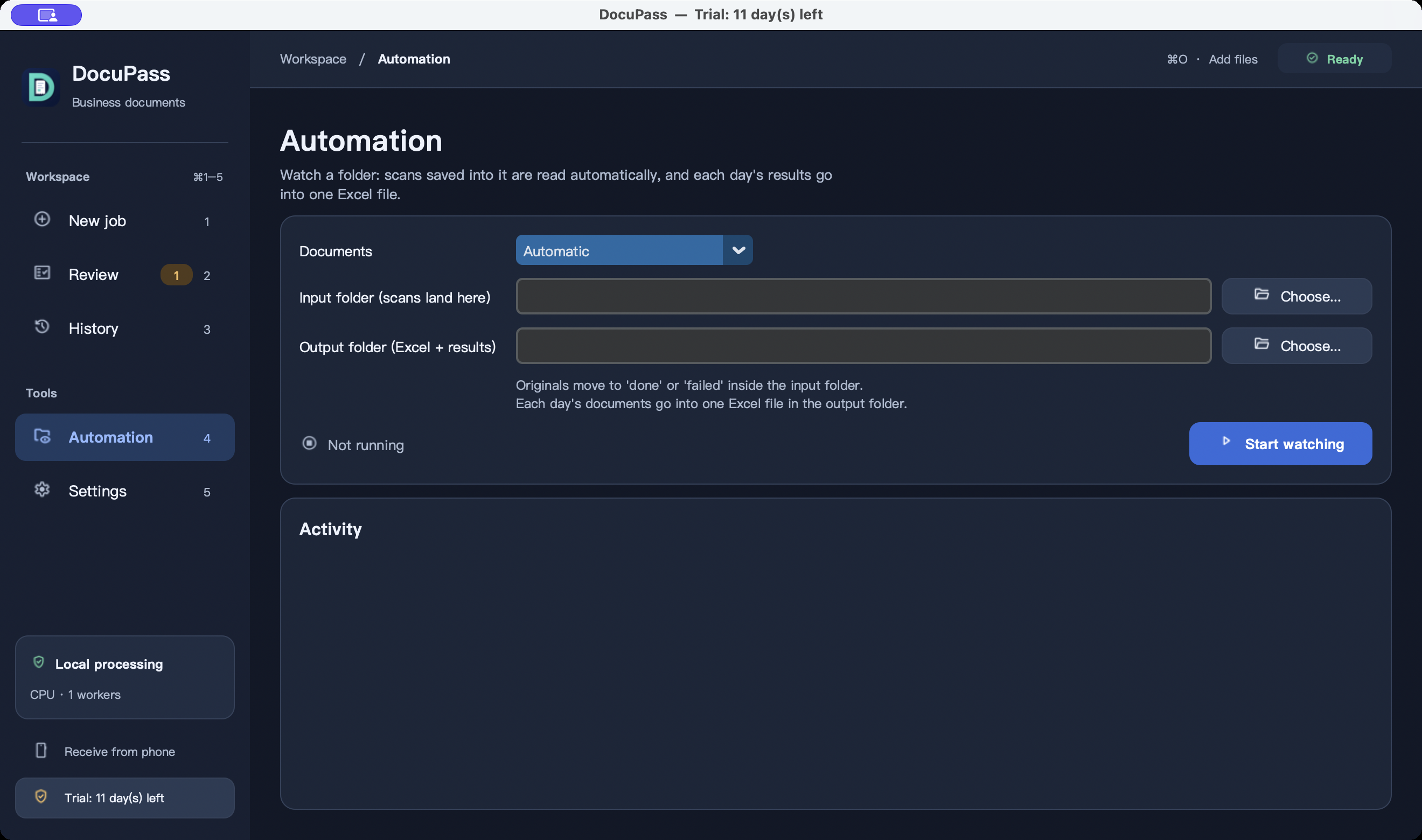
Watch a folder for incoming scans, run local OCR, and collect each day's results in one Excel workbook. Reopen saved jobs for review and export.
- Watch folders + searchable history
- Excel / CSV / JSON + accounting formats
- Failed files are reported separately
Actual app capturemacOS · 19 OCT 2026
Scan folder → local OCR → daily Excel
06 / Phone + desktop
Scan on phone. Finish on desktop.
iOS and Android companions capture or import documents, preview text with a PaddleOCR-derived model, and transfer to a paired desktop on the local network for final OCR.
- iOS + Android companion source
- QR pairing + encrypted local transfer
- Results + corrections sync both ways
Workflow illustration
iOS / Android
 Read
Windows / macOS
PaddleOCR
Scan on phone. Final OCR on desktop. Results sync back.
01 / 06
Animated explanation with real desktop captures. Diagrams illustrate the workflow; playback does not run OCR in your browser.
Your desk. Your phone. One workflow.
macOSDesktop OCR + review
WindowsDesktop OCR + review
iOSScan + paired transfer
AndroidScan + paired transfer
In development: macOS and Windows desktop builds; iOS development build installed. Android companion source is implemented; real-device validation and store releases are pending. macOS uses CPU. Windows NVIDIA mode needs a compatible GPU/runtime and remains unverified on real GPU hardware.
Technical details and document types
Feature guide
What DocuPass can do
Explore the detailed input, OCR, review and export capabilities. Some options depend on the device and configuration.
01What can it read?6 document types and their extracted fields
| Document | Typical fields |
|---|---|
| Receipts | Merchant, date, receipt number, totals, payment and change; line items with quantity, unit price, discount and amount. |
| Invoices and bills | Supplier, invoice number, dates, customer, currency and amounts, organized for review and bill exports. |
| Hong Kong cheques | Payee, date, cheque identifiers and amounts in words and figures. Amounts are cross-checked; handwritten names and dates require visual confirmation. |
| Business cards | Names, company, title, telephone, email, website and address; export contacts as vCards. |
| Sick-leave certificates | Patient, leave dates and days, doctor, clinic and certificate details. The stated day count is checked against the dates; a reason is extracted only when written. |
| E-payment confirmations | FPS, PayMe, AlipayHK and WeChat Pay HK confirmation images are treated as receipts, with payee, amount and transaction number. |
02Bring your documents in
- Add individual images, PDFs or folders with subfolders. PNG, JPEG, BMP, WebP, TIFF and iPhone HEIC/HEIF are supported; PDF ranges can be all pages, 1–3,5 or 4 onward.
- Read Chinese, English, Japanese, Korean, French or German. Desk photos can be cropped and straightened, and EXIF orientation turns phone photos upright.
- Decode page QR codes and barcodes alongside OCR. Their values appear as additional fields and export columns, preserving any value already read by OCR.
03Printed text, handwriting and forms
- Standard mode reads printed text. Handwriting mode uses Balanced or Accurate; choosing Fast switches to Balanced for handwriting and form work.
- Form compare starts with a blank original image or PDF page. Filled scans are aligned for tilt, shift and scale; the printed background is removed and written responses are attached to their labels.
- Choice fields show selectable options during review, with 1–9 shortcuts and 0 for none. Excel includes Form fields and Form summary sheets with answered, review and blank counts plus choice totals.
04Check every result against its source
- View the original page, text boxes and editable extracted fields together. Inspect the source region for a field, correct it, then confirm; Enter advances to the next document needing review.
- Check receipt item sums against totals, cheque words against figures, and leave dates against day counts. Uncertain or conflicting values remain marked for review; OCR confidence is not an accuracy guarantee.
- Flag possible repeated receipts or invoices within a batch and History, using merchant and number or merchant, date and total. A person decides whether to keep the record.
05Reuse the corrections you make
- Teach by example remembers a printed field label after a confirmed correction. Later documents with that label can receive a proposed value in an empty field, always marked for checking.
- Remember corrected merchant names and expense categories locally. Settings lets you inspect and forget remembered entries. This is correction memory; it does not retrain the OCR model weights.
06Keep records in useful formats
- Export document-specific Excel or CSV records and expense summaries by category and month. Receipt line items and form answer summaries retain their own structured sheets.
- Prepare Xero or QuickBooks bill-import files, or use a custom customer template with account codes by category. These are export formats; this page does not demonstrate a completed accounting-system import.
- Save business cards as vCards and keep full JSON results containing recognized text, confidence and bounding boxes. Raw line-level Excel can also retain file, line and error information.
07Run repeatable batches
- Search saved job History by merchant, month, amount or document number. A watched folder can process incoming scans automatically and create a daily Excel file; watched batches also appear in History.
- Parallel workers keep models loaded between pages. Live progress, logs, time remaining and Cancel controls keep the batch visible while the interface stays responsive.
- Corrupt or empty files are reported and skipped so other files continue. Worker crashes are isolated, results keep input order, and engine startup failures produce a clear batch error.
08Choose a setup for your computer
- Profile CPU cores, available RAM and NVIDIA GPU memory. Recommend a worker count with memory headroom. GPU mode requires a compatible NVIDIA runtime and at least 2 GB free VRAM; macOS uses CPU.
- Choose Fast, Balanced or Accurate models. Japanese substitutes Balanced for Fast; Korean uses its dedicated model. The setup remembers choices and checks the installed runtime.
- Benchmark a standard page or measure 2–4 of your own pages for time estimates. Auto-pick compares model output on up to three pages and recommends a faster close match to Accurate; agreement is not a check against ground truth.
09Scan on a phone, finish on the desktop
- The Flutter companion source targets iPhone and Android. Capture guidance identifies darkness, glare, blur or distance, takes a photo when steady and crops the document.
- Pair with the desktop over the local network and send scans to that computer. The phone can preview OCR with a device-appropriate model; the desktop performs final OCR and syncs results back.
10Local processing and optional assistance
- OCR runs on your computer. A separately enabled AI helper can fill empty fields using extracted text: choose local Ollama or a cloud OpenAI-compatible endpoint. AI proposals always require review; cloud mode sends that text to the configured provider.
- The setup wizard selects runtime, languages and models, with online installation or an offline pack. Bundled builds can run OCR offline after the required runtime and models are present. GPU and phone capabilities depend on their device setup; the demonstrated desktop run uses macOS CPU.
Open 5 current app screens
REAL APP SCREENS
Inside the current desktop app.
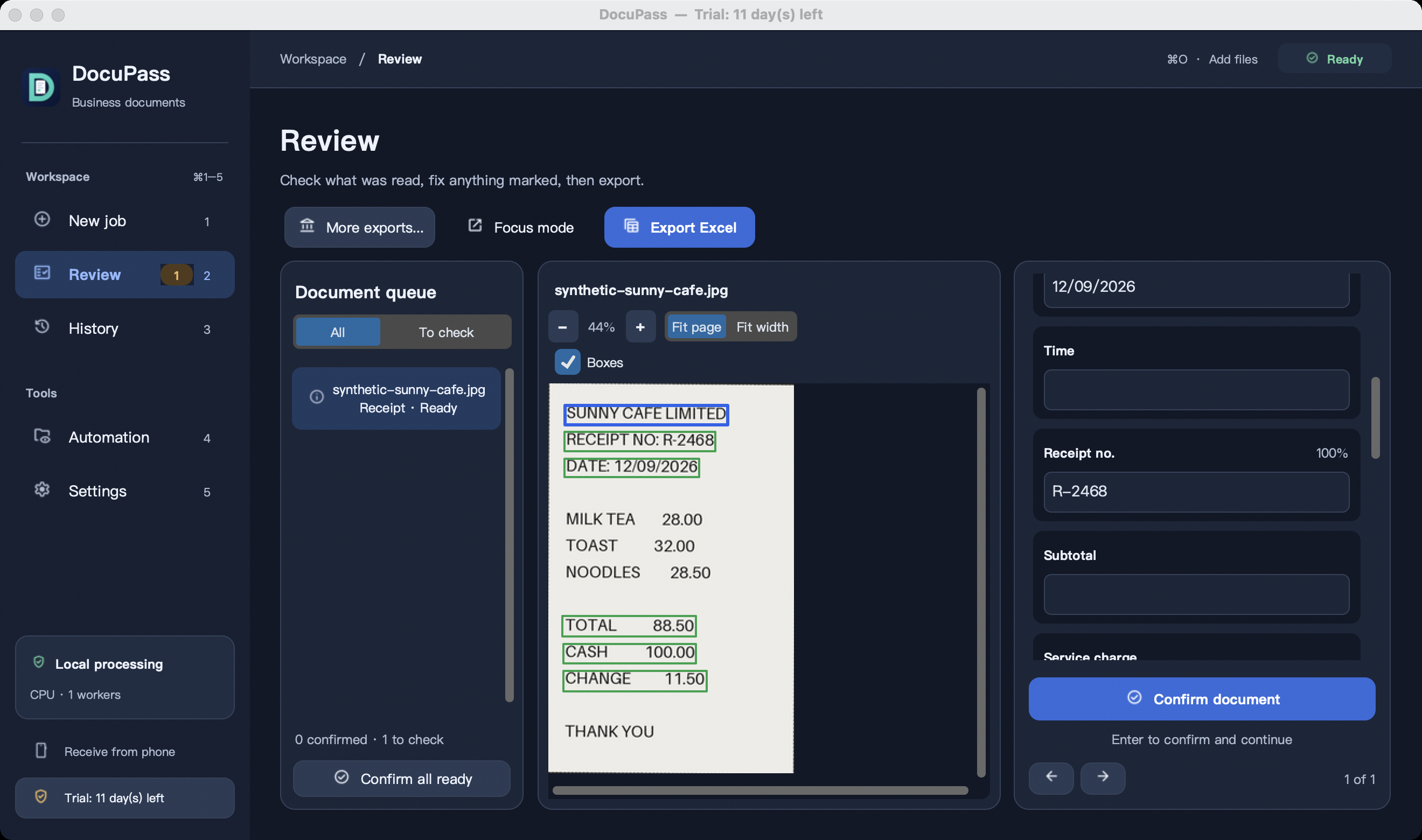
Captured on 19 October 2026 from the current desktop source: automatic mode, benchmark tools, review, optional AI and automation. Review displays the previously recorded synthetic-receipt OCR output.
Automatic mode + document queue
Automatic mode is selected, with a synthetic receipt ready in the queue.
Open full-size captureModels + benchmark tools
Choose the OCR model and worker count, benchmark the actual engine, or compare models on your own pages.
Open full-size captureReview the fields
The current review layout displays the recorded synthetic receipt result beside its source and editable fields.
Open full-size captureConnect optional AI
Configure a local or OpenAI-compatible API endpoint, model and key. OCR text is used for suggested fields; AI is off by default.
Open full-size captureWatch-folder automation
Set a document type, input folder and output folder for automatic OCR and daily Excel records.
Open full-size captureSynthetic receipt · no personal data
From sample scan to OCR result
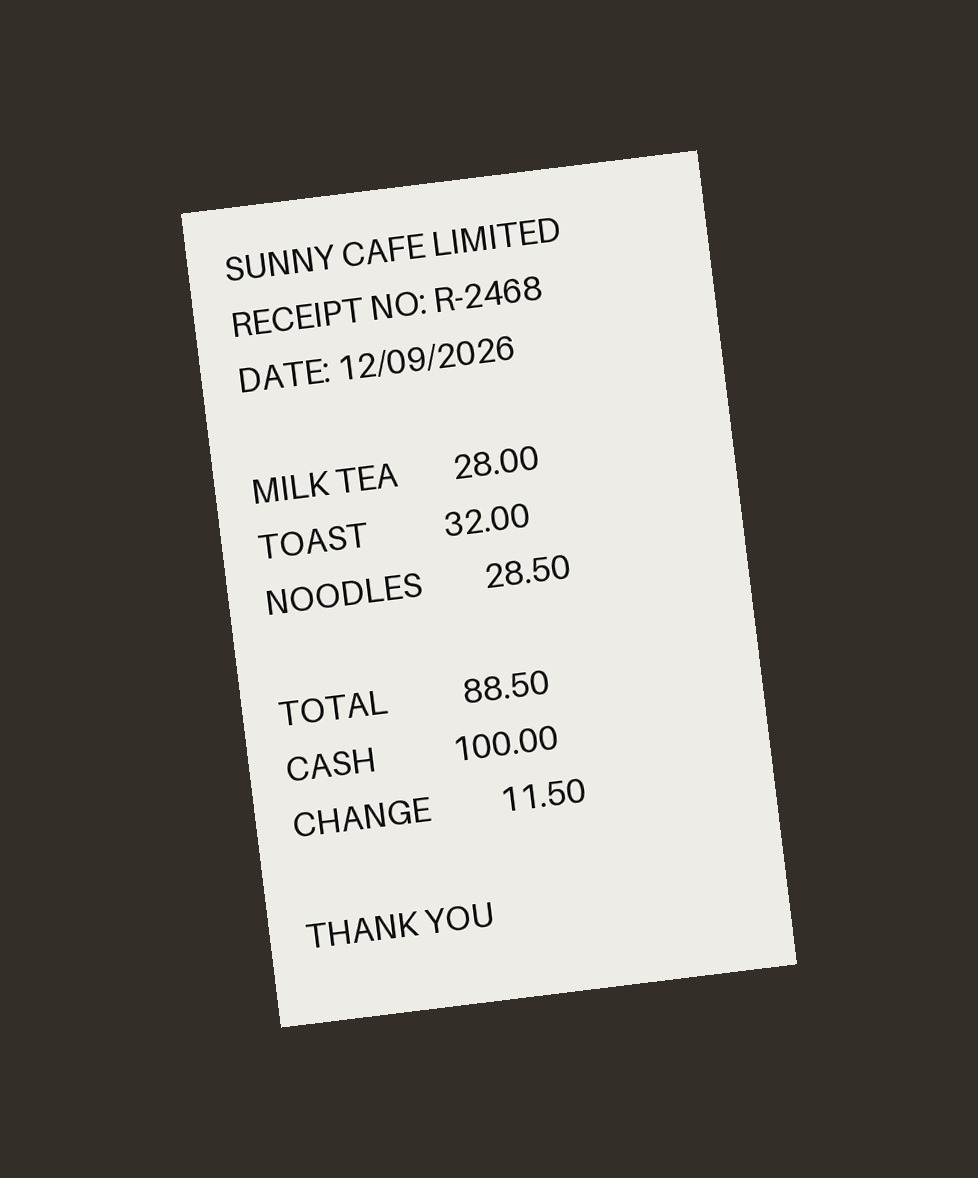
This synthetic printed receipt was used for functional checks. The values below are the app's OCR output; confidence does not represent general accuracy.
Open sample receiptWhat OCR read
- Merchant
- SUNNY CAFE LIMITED
- Total
- 88.50
Date2026-09-12
Receipt numberR-2468
Line items
- MILK TEA28.00
- TOAST32.00
- NOODLES28.50
28.00 + 32.00 + 28.50 = 88.50
Cash and change match the total; the person still checks the source.
Check before exporting
What OCR read · JSONDocuPass · OCR
Handwriting: what was measured
The source project tested 60 real hand-printed forms with 240 date, city, state and ZIP fields. These development results are not a guarantee for a new document or a production accuracy claim.
Line orientation detection off; values checked against the form labels. Balanced and Accurate were close, while Fast missed more handwriting.
Fields exactly correct
Balanced78%
Accurate79%
Fast60%
The 60 source forms are not stored on this website, so there is no handwriting before/after image here. The receipt above is printed text. Review every handwritten field against its source before export.
DocuPass
Interested in this project?
Tell us what you want to achieve. We can discuss the current build, its fit and next steps.
In development · Enquire about the current build