Five guided questions cover the goal, background, deliverable, constraints, and completion checks; every answer can be edited.
Local tools · Prompt preparation
TokenSaver.
Give your next AI task a clearer starting point.
For developers who want to plan and reuse project prompts.
CURRENT FOCUS01 02 03
Import Markdown project notes and choose the full context or a budget-focused selection.
Build an editable brief with prompt and response-length controls; the displayed counts are character-based estimates.
 TOKENSAVER · Real app captures
Who it helps
From first step to result
For developers who want to plan and reuse project prompts.
Set the project context
Prepare the prompt
Keep useful versions
Real app captures
A closer look at TokenSaver.
Actual captures of the running offline frontend, using a fictional song-game brief. The app’s interface retains its source language. No coding task was sent, and these screens do not demonstrate a live account or AI integration.
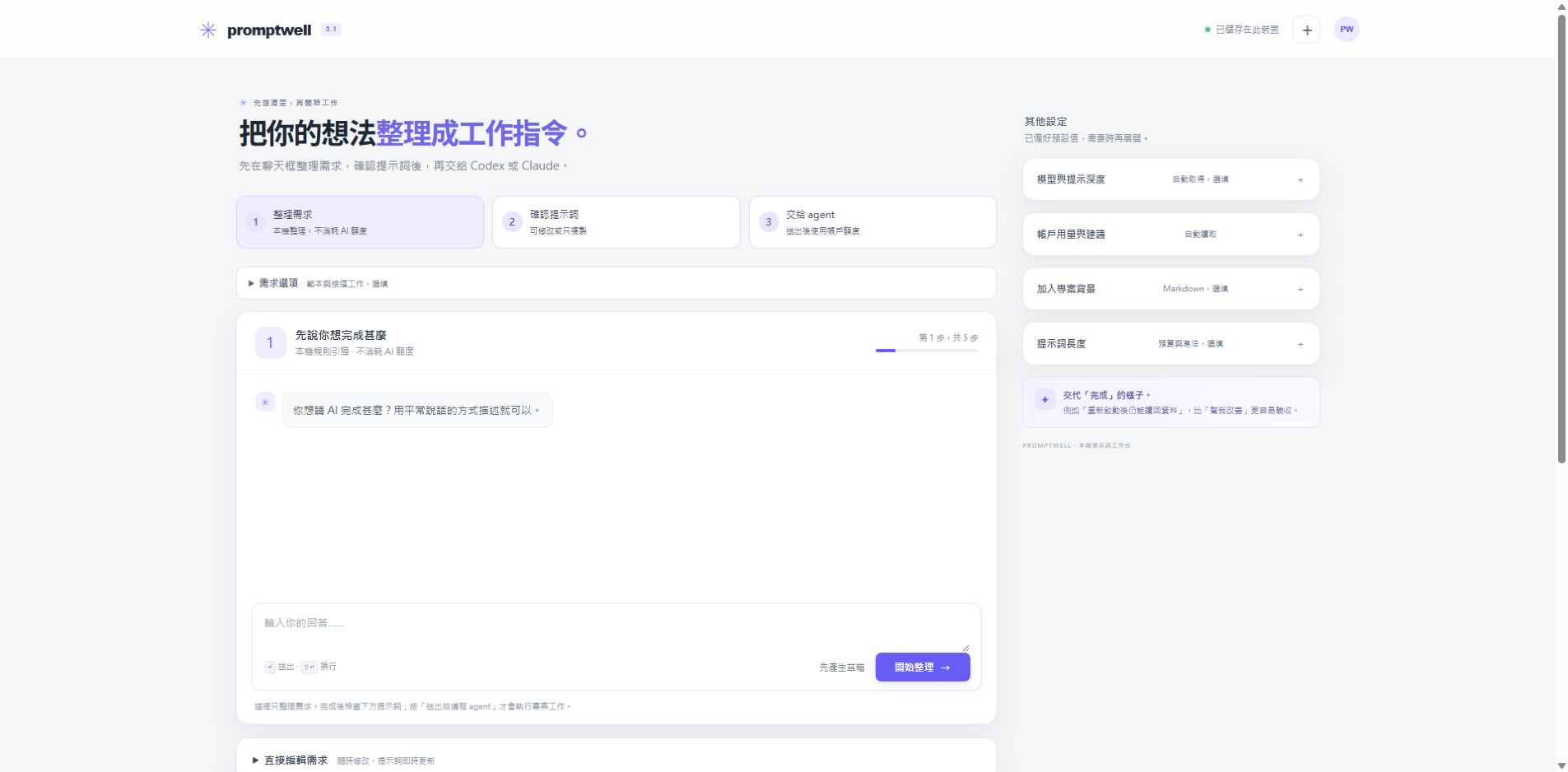
Prompt preparation workspace
The real Promptwell interface begins with local planning and optional settings. No AI task was executed for these captures.
Open full-size image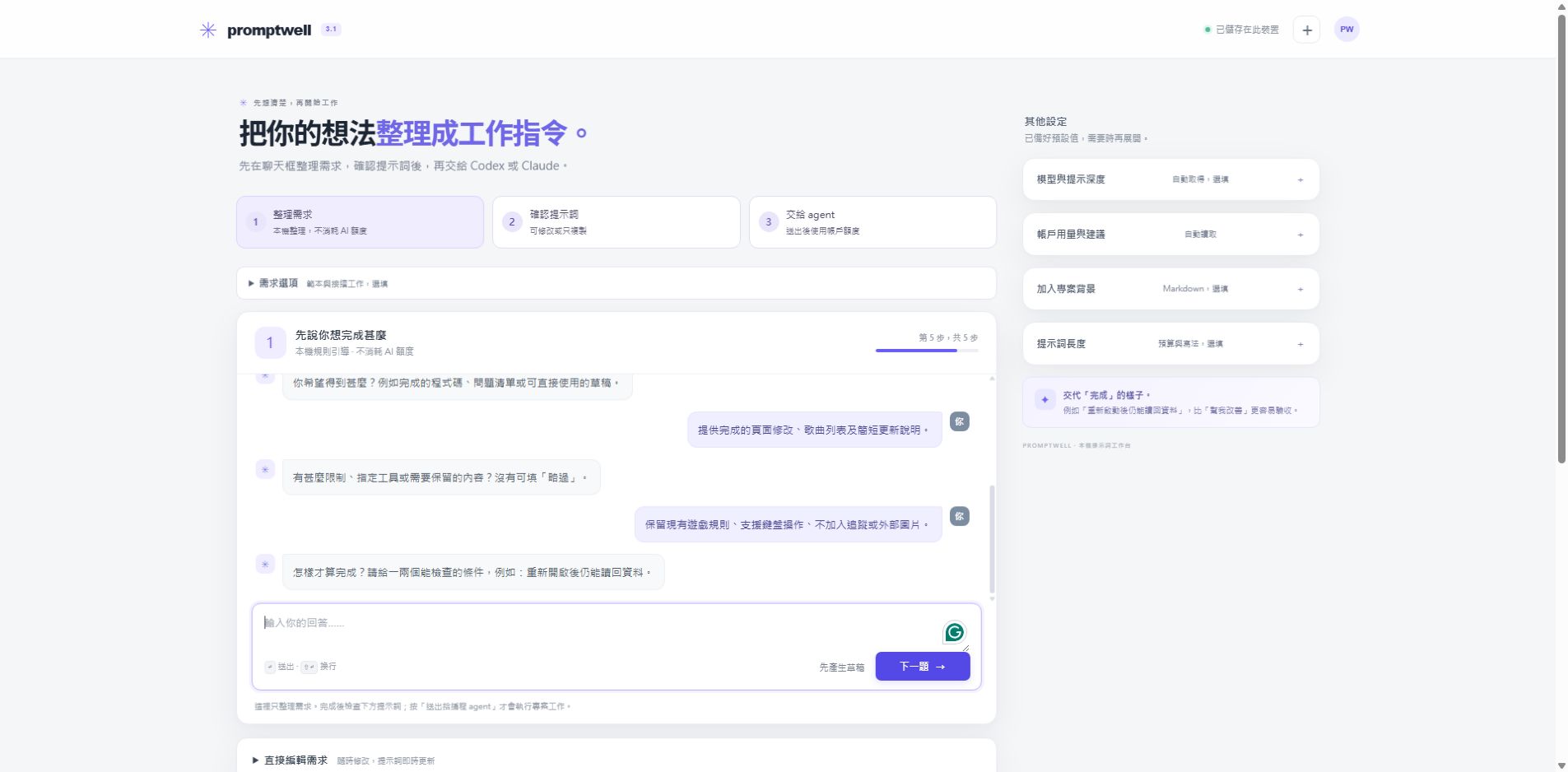
Guided requirements
Five questions collect the goal, background, deliverable, constraints and completion criteria. The visible game brief is fictional demonstration input.
Open full-size image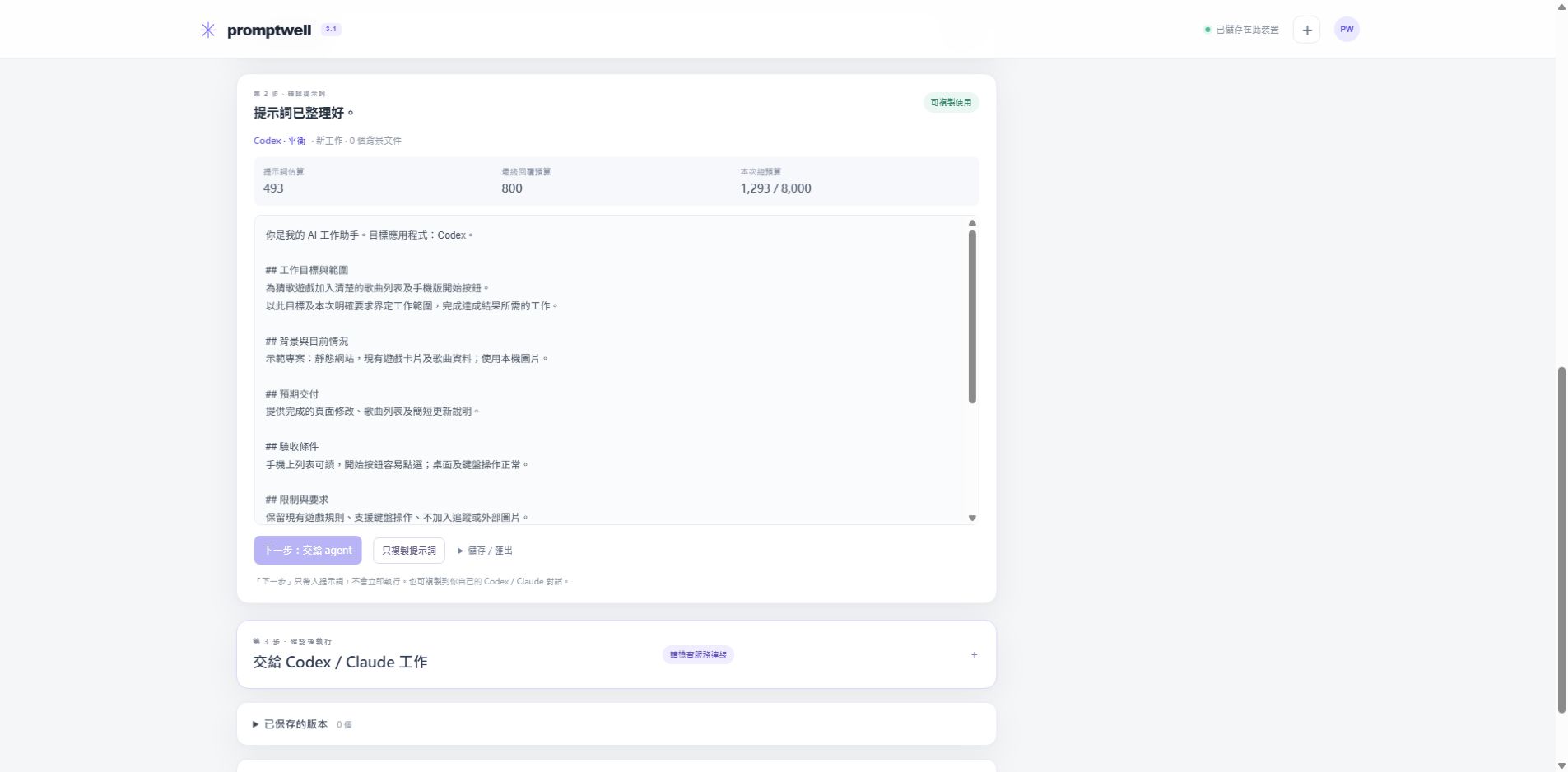
Generated prompt
Local rules assemble an editable working brief with context and acceptance criteria. Token values are rough estimates, not measured savings or execution limits.
Open full-size image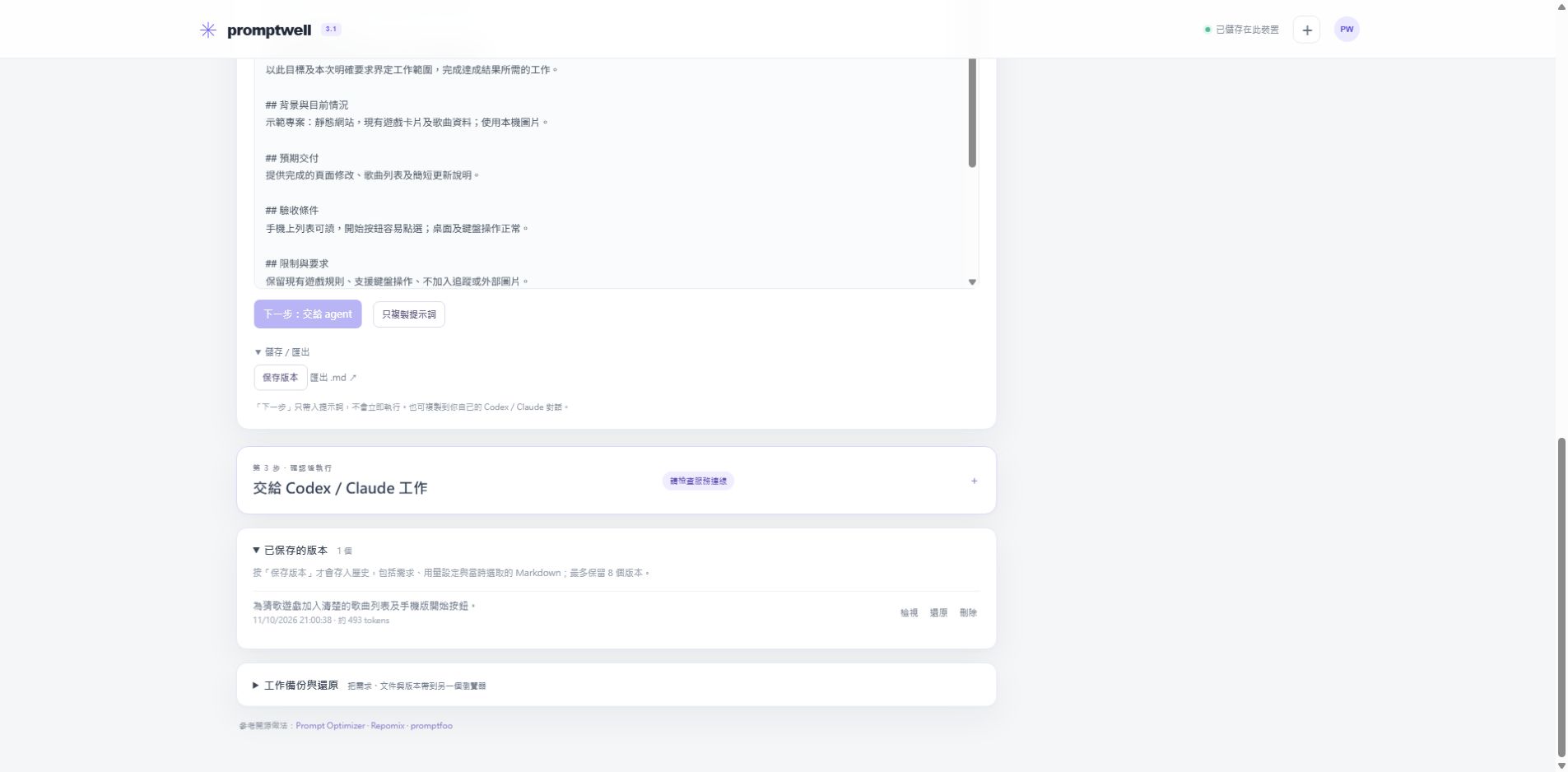
Saved versions and export
Save a prompt snapshot with its settings and selected context, then view or restore it. The local history keeps up to eight versions; Markdown export and JSON backups support reuse.
Open full-size imageProject overview
Clarify the work before sending a prompt.
A quick instruction can leave the desired result, background or finish conditions unclear. Repeating those details in later messages makes work harder to follow.
Promptwell collects a concise brief, adds selected Markdown context and generates structured instructions with local rules. Review and copying work independently of the optional execution service.
A working local development project, currently branded Promptwell. Screens show offline prompt preparation with fictional input; no public hosted app, measured savings or endorsed integration is claimed.
Current implementation
Current implementation
Details from the local source files.
Platform
HTML, CSS and JavaScript frontend; prompt preparation works locally without an AI request.
Requirements
Goal · context · deliverable · constraints · completion conditions, with direct editing and task templates.
Project background
Import Markdown files and choose full or budget-focused context for the prompt.
Length controls
Configurable prompt budgets, response length and compact writing; counts are character-based estimates.
Reuse
Copy prompts, export Markdown, save up to eight versions, compare drafts, and export/import JSON backups.
Optional execution
A separate localhost service can use an installed, logged-in coding CLI after explicit confirmation. Sending a task can use account quota and transmit selected context.
How the app works
From a rough idea to a reusable prompt.
TokenSaver’s local app is currently named Promptwell v3.1. It prepares prompts using offline rules: clarify the goal, add context, define outputs and constraints, and state how completion will be checked.
- STEP01
Describe the task
Answer the five questions or edit the brief directly; choose a template when useful.
- STEP02
Review and refine
Check completion criteria, selected context and estimated length before copying or exporting.
- STEP03
Keep a version
Save a snapshot or backup for later comparison. Optional CLI execution is a separate, confirmed action.
Design priorities
Design choices
How the current app behaves.
Local preparation
The planning stage uses deterministic local rules and does not spend AI quota.
Estimates stay estimates
Prompt counts omit tool output, extra conversation and internal model computation.
Review before sending
A generated prompt can be copied without running a task. Execution requires the local service and confirmation.
TokenSaver
Interested in this project?
Tell us what you want to achieve. We can discuss the current build, its fit and next steps.
In development · Enquire about the current build