Selenium + ChromeDriver clip collection
Video automation · Python desktop
NBA Video Studio.
Bring basketball highlights from clips to a finished edit.
For basketball video creators managing highlights and Shorts.
CURRENT FOCUS01 02 03
9:16 Shorts with player and ball tracking
Game calendar, output library and job recovery
 Real desktop UI · Synthetic sample media
Who it helps
From first step to result
For basketball video creators managing highlights and Shorts.
Organise game clips
Frame and review Shorts
Prepare the final video
Real desktop captures
A closer look at NBA Video Studio.
Captured from the current Mac build on 22 October 2026 with isolated app data, generated sample clips and fictional demo games and players. No real game footage is shown and nothing was uploaded. The interface remains in Traditional Chinese.
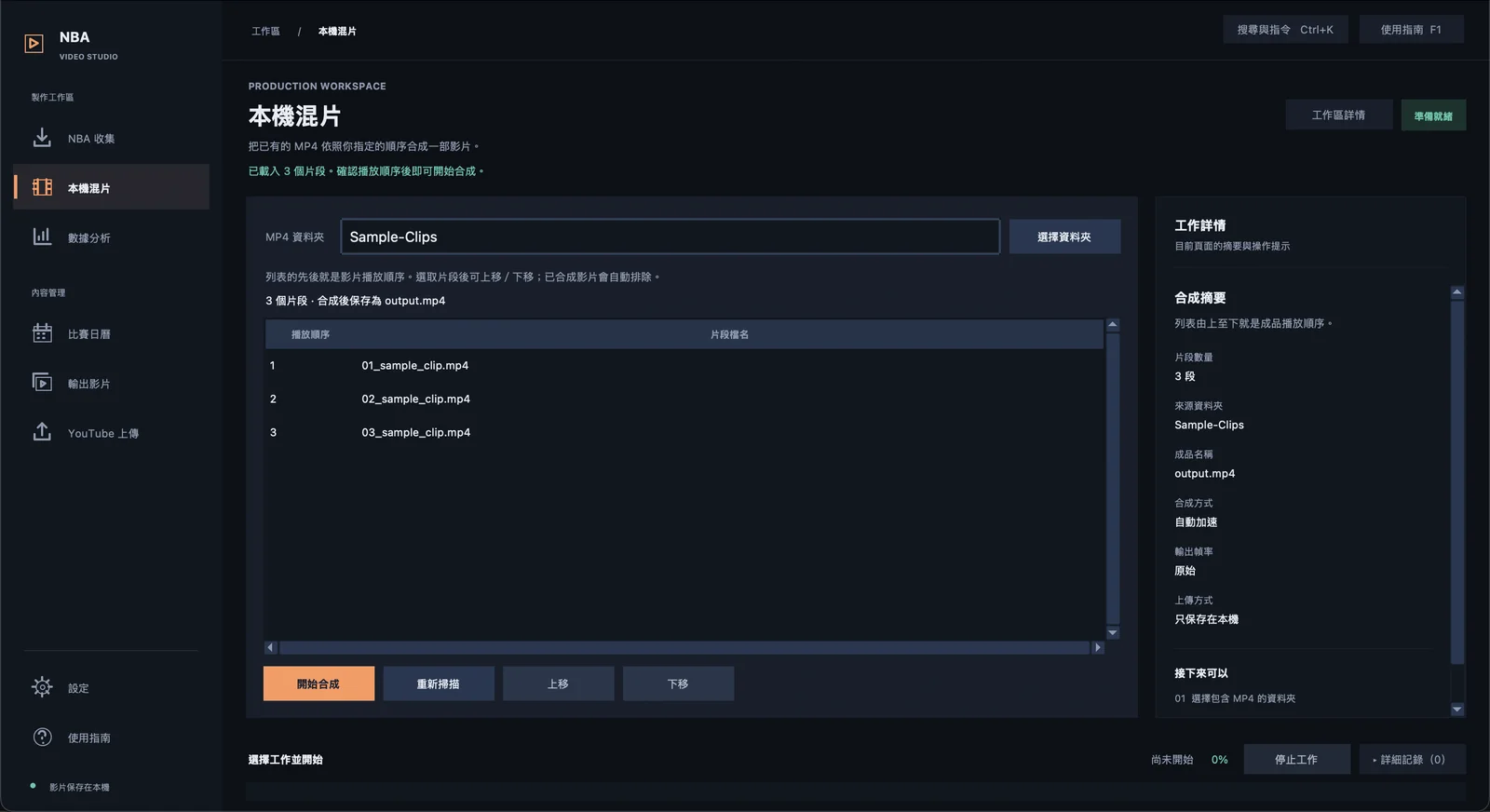
Local clip workspace
Three generated sample clips loaded in playback order, with merge method, output name and reorder controls.
Open full-size image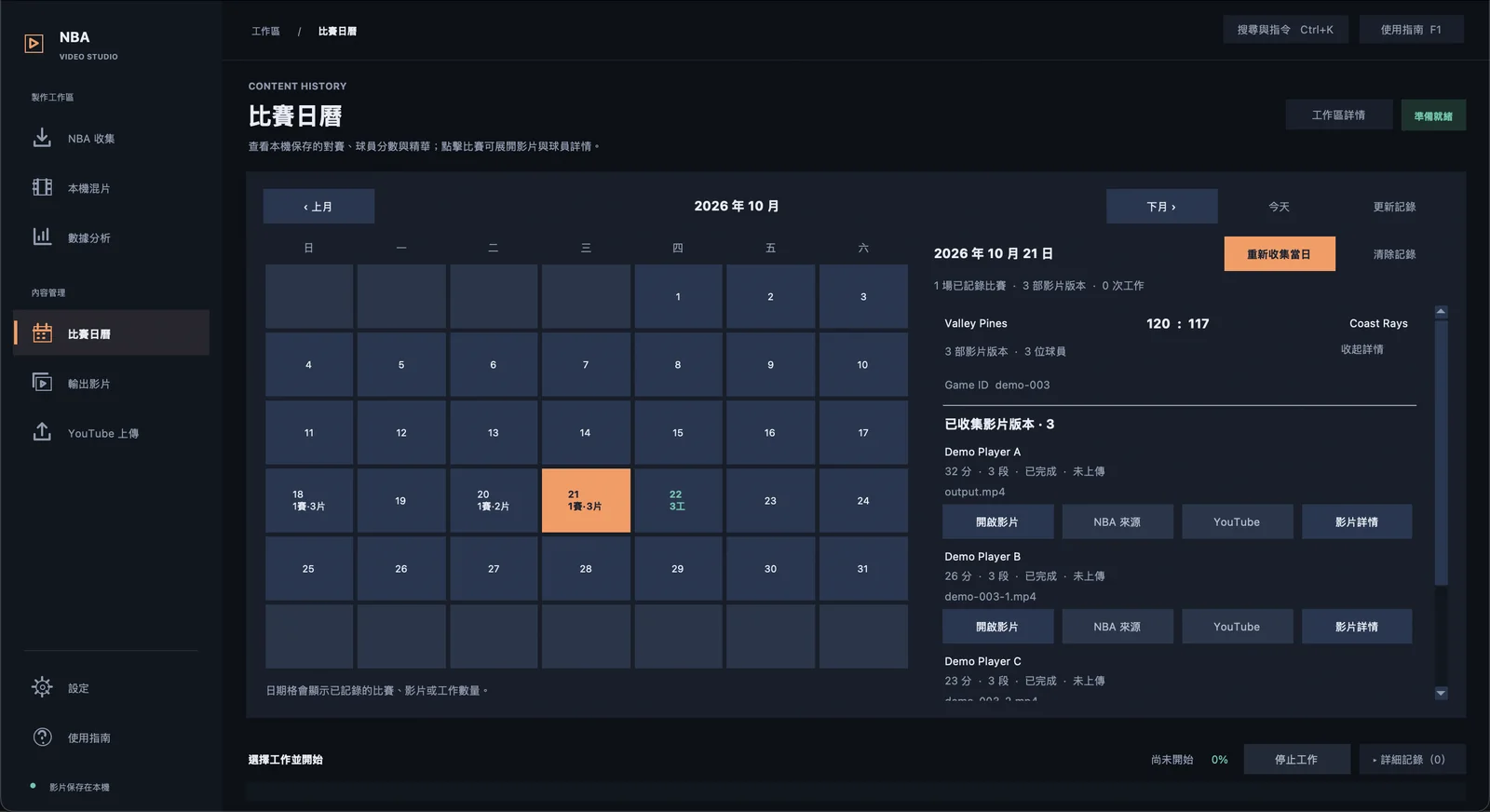
Game calendar
Saved games are grouped by date. An expanded day shows the final score and each collected player video, with links to play or inspect it.
Open full-size image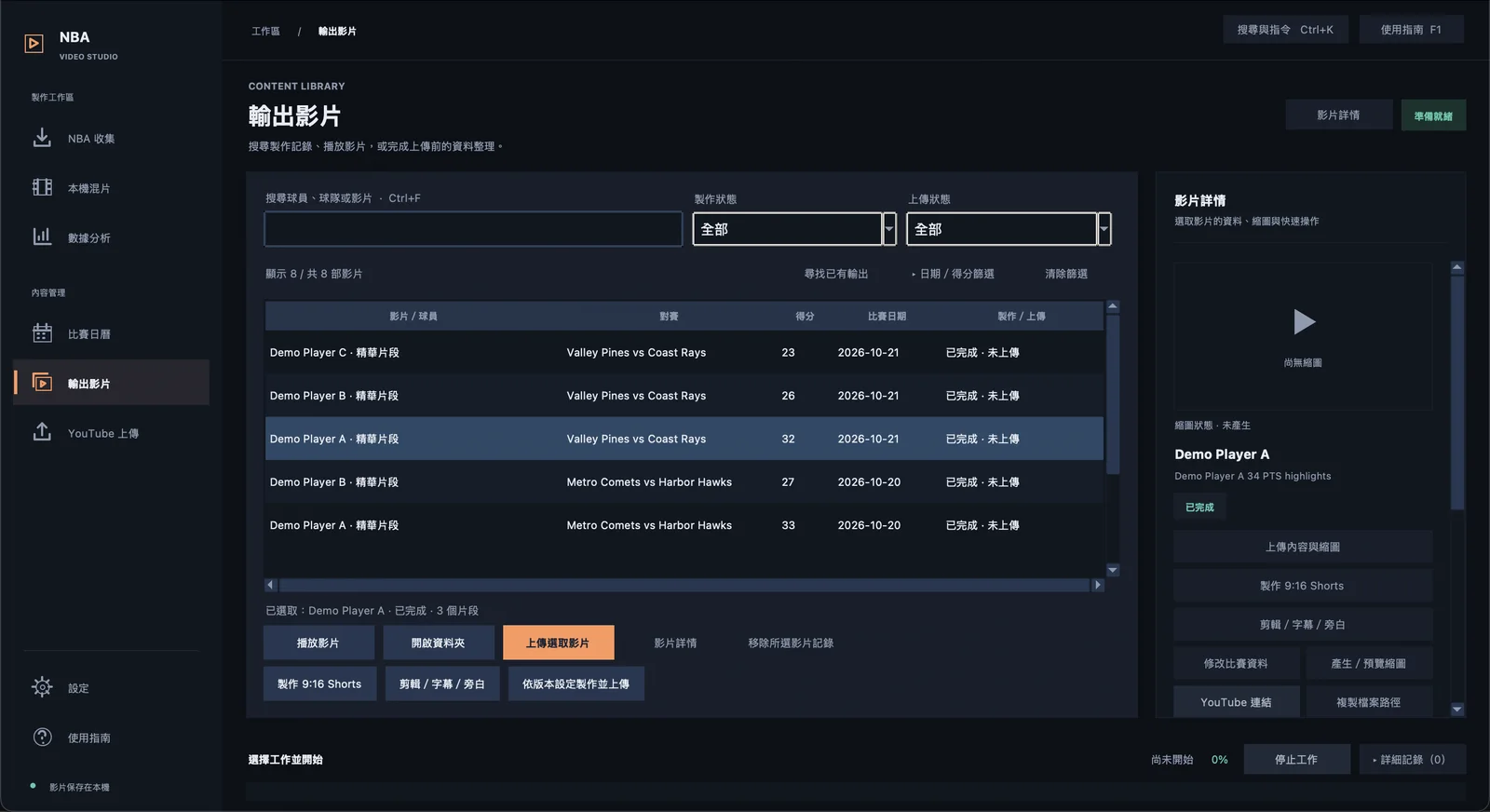
Output library
Search, production and upload filters over finished videos, with a detail panel for thumbnails, Shorts, editing and upload preparation.
Open full-size image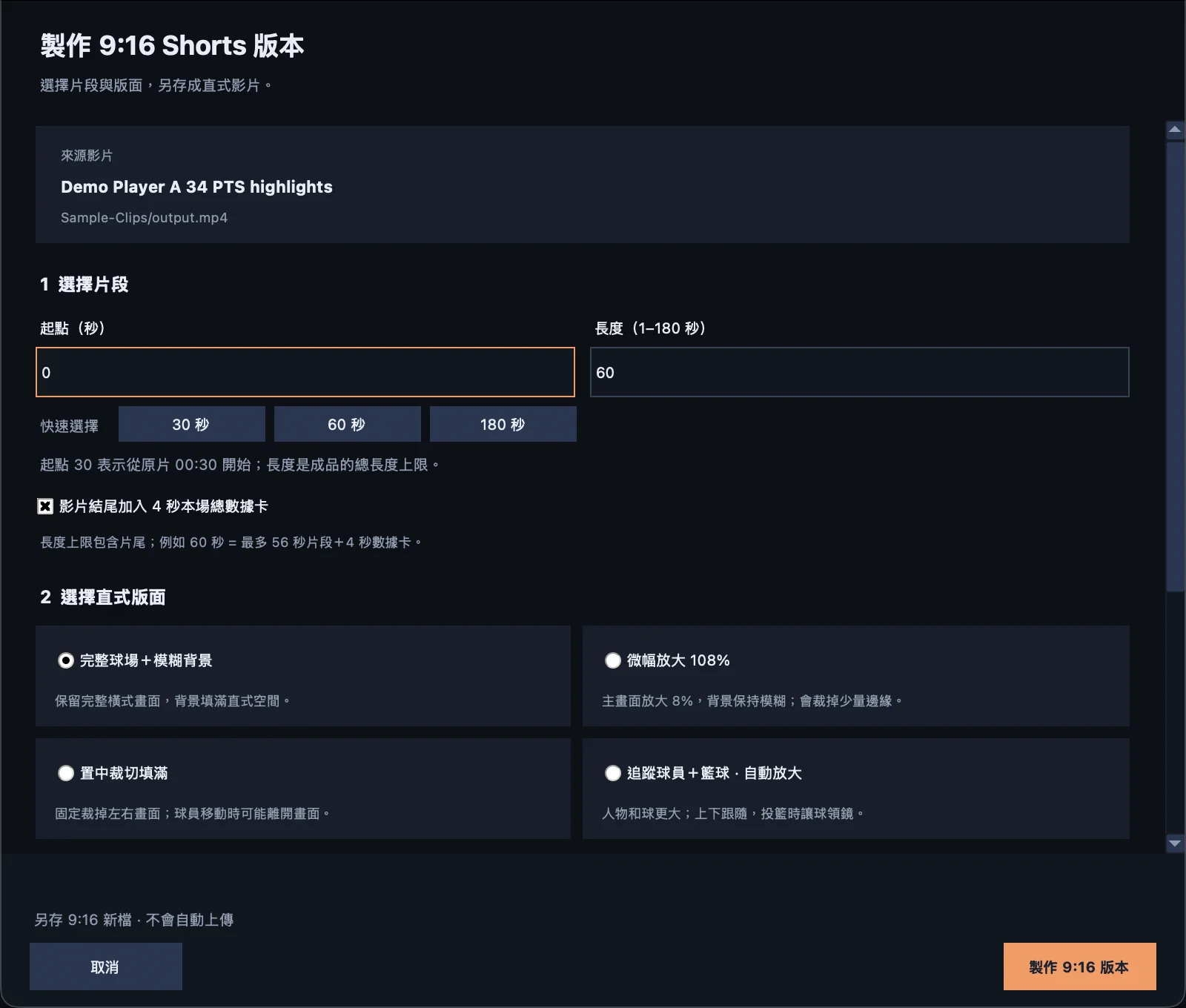
9:16 Shorts editor
Choose a start point and length, add an optional statistics end card, and pick a blur, zoom, crop or player-tracking layout.
Open full-size image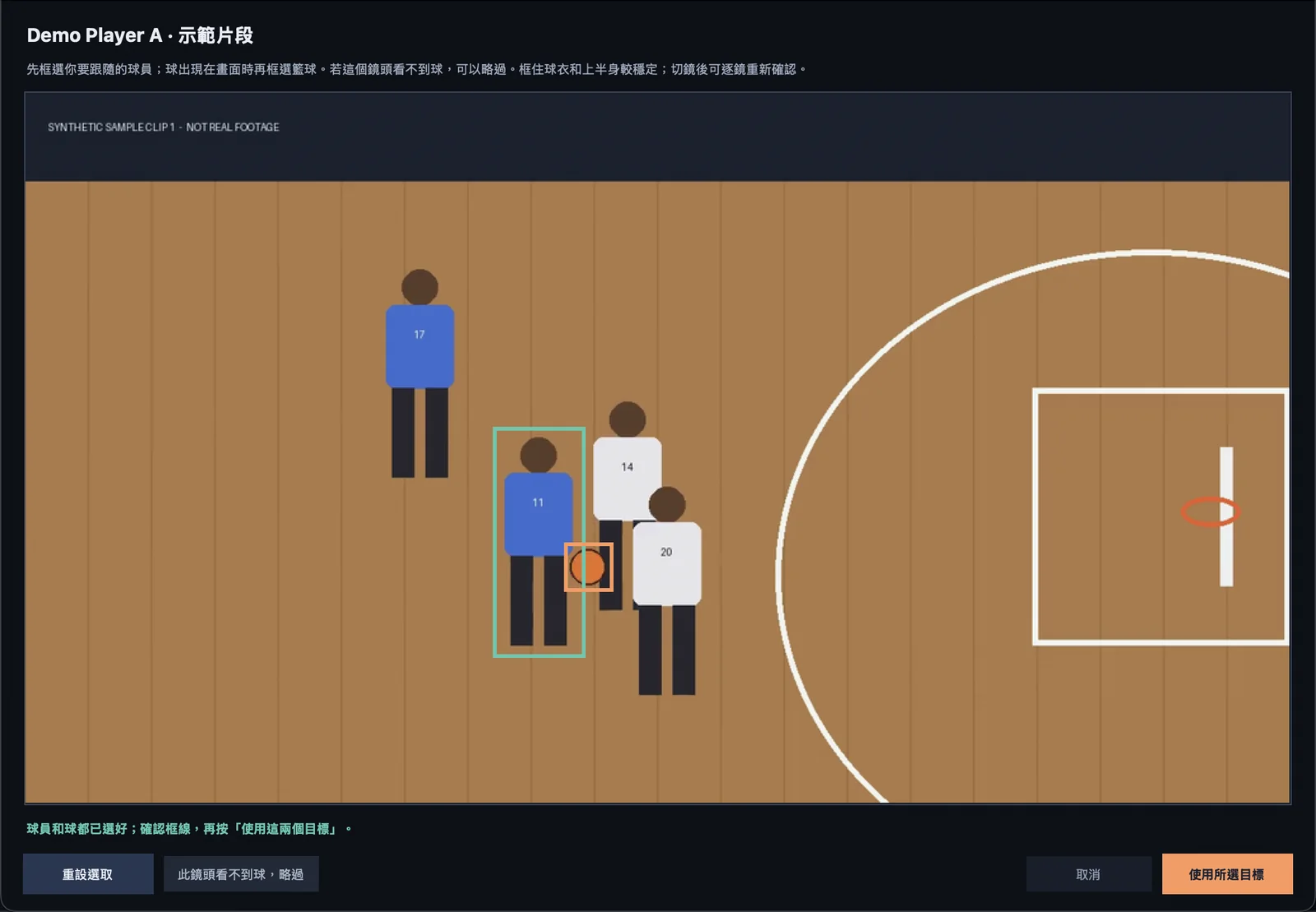
Player and ball tracking
The user boxes the player and the ball on a sample frame; the tracker uses both to keep the action in the vertical crop.
Open full-size image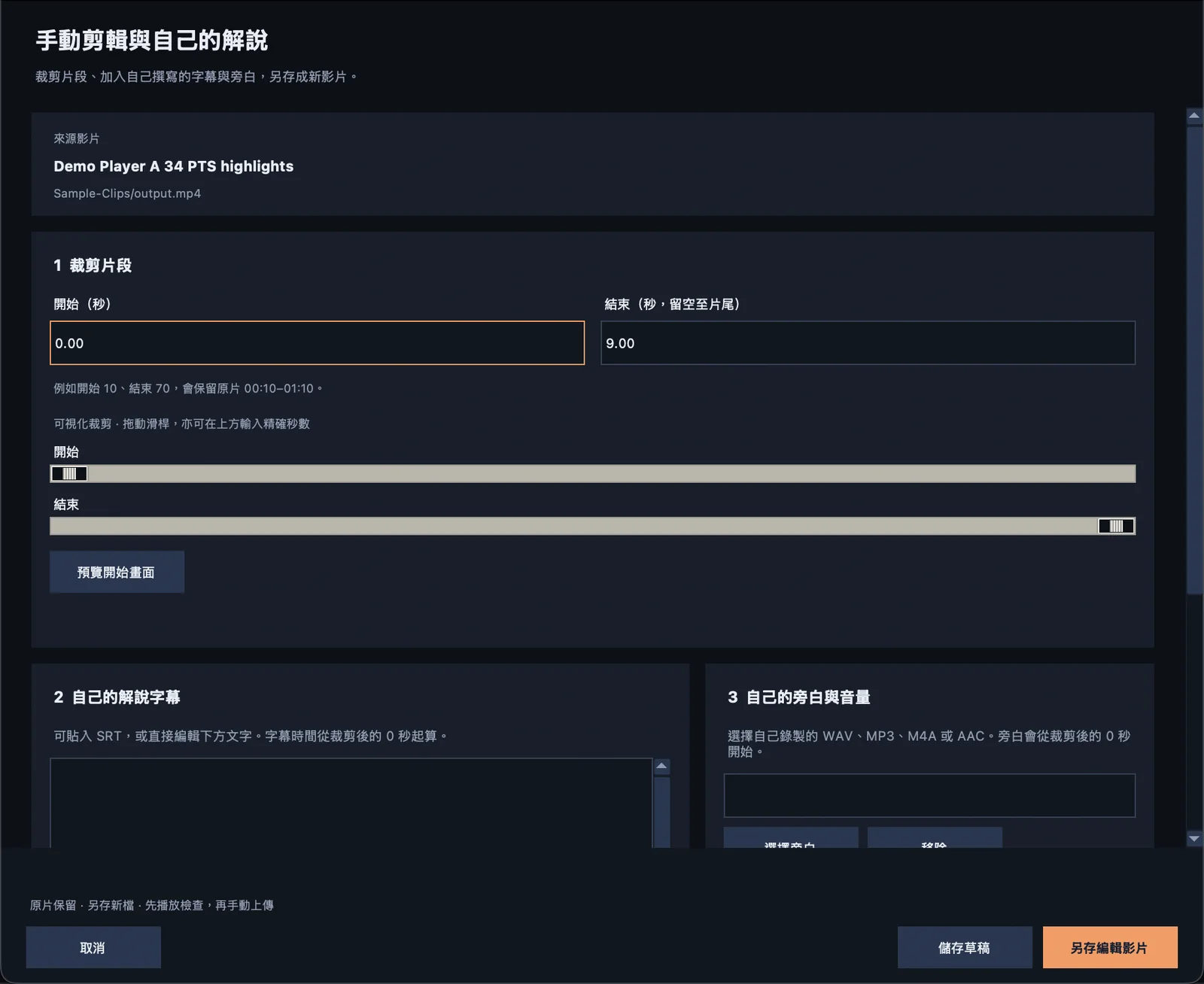
Manual editor
Trim with start and end sliders, then add your own subtitles and voiceover as a separate edited copy.
Open full-size image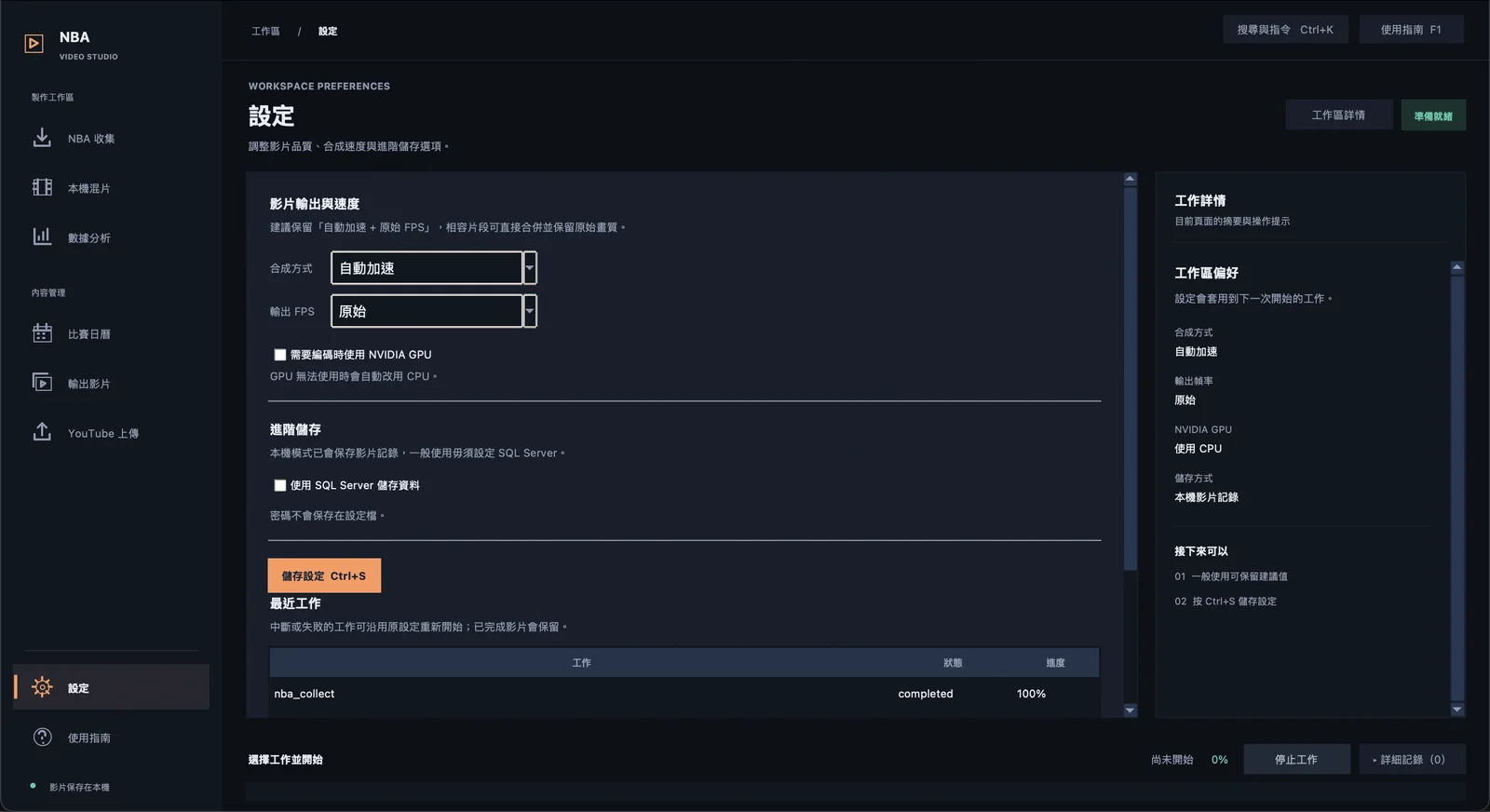
Settings and recent jobs
Merge and frame-rate preferences, optional SQL Server storage, and the recent job list used to spot interrupted work.
Open full-size imageAbout this area
A closer look
at the project.
NBA Video Studio brings repeated browser work and video production into one desktop workspace. The current Mac and Windows build combines controlled Chrome sessions, durable background jobs, local FFmpeg rendering, vertical Shorts, manual editing and a calendar of saved games. Analysis and upload tools are included, and every result waits for human review before publishing. It remains a local project in development.
Zevqio is an early-stage, independent software initiative. This page describes work in progress and does not represent a commercial product offer.
Automation engineering
The skills behind the project
The desktop project uses Selenium + ChromeDriver and FFmpeg. Related Playwright experience is demonstrated by the automated browser checks for this portfolio website.
Selenium + ChromeDriver
Python controls Chrome in visible or background mode behind a replaceable collection interface, with page-load limits, readiness checks and browser cleanup.
Durable background jobs
SQLite job records keep progress and mark interrupted runs. Completed clips and outputs are reused, so a stopped run does not download finished work again.
Local video rendering
FFmpeg merging uses stream copy when clips match and transcodes when they do not. Outputs keep event order and save metadata beside each video.
Shorts and review
9:16 output supports automatic court framing, smooth ball-following crops, blur backgrounds and manual tracking. Suspicious shots are grouped for focus correction; saved local analysis can be reused when rendering.
Calendar and daily selection
Browse games by date, inspect player statistics and retry unfinished work. Daily selection can fill a configured target from final scores; a shared local 24-hour upload budget covers landscape and Shorts.
Analysis and publishing
Prepare statistics end cards, thumbnails, subtitles and voiceover. Optional local Ollama helps draft analysis; YouTube API supports upload, resume and separate upload records with user-provided OAuth.
NBA Video Studio
Interested in this project?
Tell us what you want to achieve. We can discuss the current build, its fit and next steps.
In development · Enquire about the current build